Mailchimp’s ChatGPT App: What It Actually Does
Mailchimp’s new ChatGPT app promises AI-powered campaign planning. Here’s what it actually does, where it falls short, and what it signals about marketing’s AI layer.
Key Points
- The Mailchimp app for ChatGPT enables AI-assisted multichannel campaign planning and content ideation, but does not create or send campaigns within Mailchimp.
- Intuit's strategic partnership with OpenAI signals a broader shift where marketing planning migrates into conversational AI interfaces while execution stays in established platforms.
- Current limitations include US-only availability, general rather than segment-specific audience targeting, and no direct campaign creation from within ChatGPT.
- The app's long-term value depends less on its current features and more on whether a team's underlying data and campaign structures are ready to support AI-driven planning.
Mailchimp is now inside ChatGPT. As part of Intuit’s broader strategic partnership with OpenAI, the Mailchimp app landed in the ChatGPT App Directory alongside TurboTax, Credit Karma, and QuickBooks. It’s available to all logged-in ChatGPT users (Free, Plus, and Pro) in the US, at no additional cost.
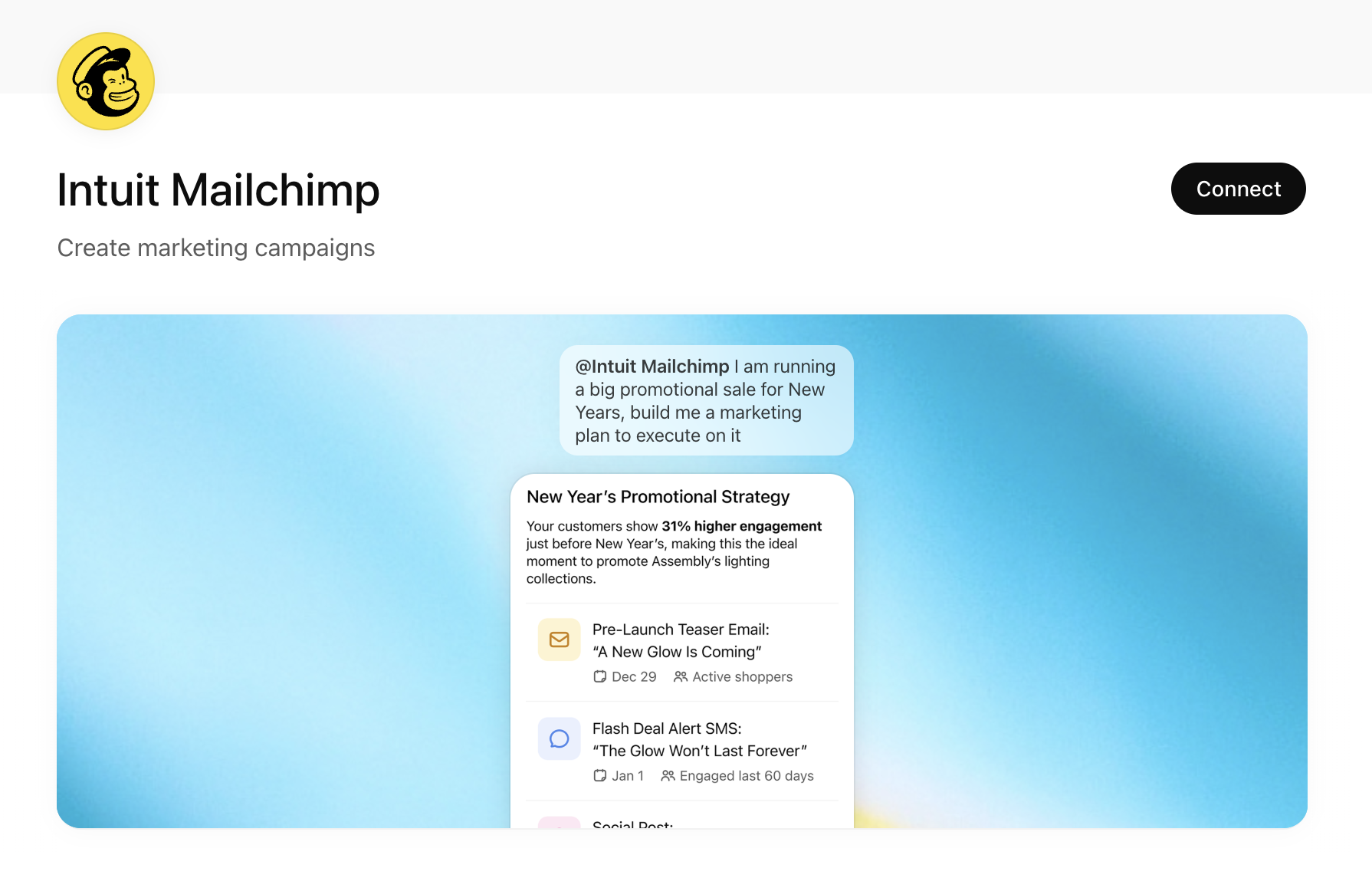
The pitch is straightforward: use ChatGPT’s conversational interface to build multichannel marketing strategies informed by Mailchimp’s data. Type @Mailchimp in a ChatGPT conversation, describe your goal, and the app generates campaign plans, channel recommendations, and content outlines you can bring back into Mailchimp to execute.
That’s useful. But it’s also worth understanding what this is, what it isn’t, and what it tells us about where marketing tools are heading.
What Does the Mailchimp App for ChatGPT Do?
The Mailchimp app in ChatGPT focuses on two core areas: multichannel campaign planning and creative brief generation for email and SMS.
If you connect your Mailchimp account, the app can analyze your historical performance data to inform its recommendations. If you don’t have an account, it asks questions about your business and uses industry benchmarks instead.
From there, it produces what Mailchimp describes as a “Multichannel Marketing Mix” that includes a channel strategy for email and SMS, send-time optimization suggestions based on your industry, general audience targeting direction, and content outlines or copywriting assistance.
The important qualifier: this is a planning and ideation layer. The app does not create campaigns inside your Mailchimp account. You take the output and build the campaigns manually. Intuit has stated that deeper integration, where campaigns could be created directly from within ChatGPT, is on their roadmap, but that functionality doesn’t exist yet.
Image generation is also not supported in the current version.
How to Use Mailchimp in ChatGPT
Getting started is straightforward. Go to the ChatGPT App Directory, find the Intuit Mailchimp app, and connect it. If you have an existing Mailchimp account, sign in to securely link your data. If you don’t, the app will walk you through a short set of questions about your business. Once connected, type @Mailchimp in any ChatGPT conversation followed by your prompt, something like “Build me a retention campaign plan for Q1” or “What email and SMS campaigns should I run to re-engage lapsed customers?” The app analyzes the available data and returns a structured plan you can then execute manually inside Mailchimp.
What This Tells Us About Platform Strategy
The Mailchimp ChatGPT app is worth paying attention to not because it reinvents email marketing, but because of what it represents structurally.
This is Intuit embedding its marketing intelligence into a conversational AI layer that hundreds of millions of people already use. It’s the same pattern playing out across the ChatGPT App Directory: established software companies are meeting users where they already are, rather than expecting them to open another tab or learn another interface.
For marketers, this raises a practical question. If the planning and strategy layer increasingly lives inside AI interfaces, what happens to the tools that only handle execution? The apps that thrive in this environment will likely be the ones that can both inform the AI conversation and receive the output back. Mailchimp is positioning for that, even if the full loop isn’t closed yet.
This also continues a broader trend where AI doesn’t replace the platform; it sits in front of it. Mailchimp is still where you build and send. ChatGPT is where you think and plan. The value of the underlying tool doesn’t decrease. If anything, having a better planning process should make the execution layer more effective.
Where the Mailchimp ChatGPT App Falls Short
There are some meaningful limitations worth understanding before you build this into your workflow.
Does the Mailchimp ChatGPT App Support Audience Segmentation?
Not in the way you might expect. The app suggests the general idea of who you should target, but it does not map to specific existing segments in your Mailchimp audience. That means there’s still a manual translation step between what ChatGPT recommends and what you actually configure in Mailchimp.
Is the Mailchimp ChatGPT App Available Outside the US?
Not currently. The app is limited to US-based users. If you operate in international markets or serve audiences outside the US, this isn’t available to you yet. Given that Intuit recently announced Mailchimp product expansions across 185 countries, international access for the ChatGPT app may follow, but there’s no confirmed timeline.
Is the Mailchimp ChatGPT App Free?
Yes. There is currently no additional cost to use the Mailchimp app in ChatGPT. It’s available to all logged-in ChatGPT users on Free, Plus, and Pro plans.
Can the Mailchimp ChatGPT App Create Campaigns Automatically?
Not yet. The app produces plans, content briefs, and strategic recommendations. It does not build emails, set up automations, or schedule sends inside your Mailchimp account. Everything it generates requires manual implementation. Intuit has indicated that a more deeply integrated experience is on their roadmap, but for now, there is an execution gap between what the app recommends and what gets built.
Is My Data Safe When Using Mailchimp in ChatGPT?
Intuit has stated that customer data remains within the Intuit platform and is not used to train OpenAI’s models. Data is only applied at the user’s request when they are logged into their Intuit account. That said, anytime you’re routing business data through a third-party AI interface, it’s worth confirming that the data flow aligns with your organization’s privacy and compliance policies.
The Strategic Takeaway
The Mailchimp ChatGPT app is not a finished product. It’s an early signal of something larger: the planning layer of marketing is migrating into AI-native interfaces, while the execution layer stays in the tools we already know.
For teams evaluating this, the right question isn’t whether to use the app today. It’s whether your current marketing stack is structured to take advantage of AI-driven planning when these integrations mature. That means having clean data in your platforms. It means having clear campaign structures that an AI can reason about. And it means staying realistic about where AI adds value (strategy, ideation, pattern recognition) versus where human judgment is still essential (brand voice, audience nuance, and the final decision to hit send).
The organizations that get the most out of tools like this won’t be the ones that adopt them fastest. They’ll be the ones whose foundations were already in order when the tools arrived.